All ideas
ClosedChris Norton · 2y ago

Please make it easier to share/copy summary out of app to paste in other programs

The latest update made copying a summary even more difficult. Allowing the information to easily be copied and pasted where it can be used seems like a no brainer. While you are at it, make it so that when pasting you don't get all the symbols and weird formatting. What is the point of doc generation if you have to totally reformat everything after taking it out of the app?
9 comments

  • William Knight2y ago

    Similar…I love the ability to attendee names etc but I cannot figure out how to do it in the summary. It seems like I have to export first. Is that correct?

  • Grant Peeples2y ago

    Emailing the summary followed with pasting into Google doc to reformat the summary is a pain.

  • Lisbet Rivas1y ago

    I would like the same ability.

  • Josh MohrerWave team1y ago

    We now have Export to Google Docs, Export to Email, and the new web app: https://app.wave.co which makes it all a bit easier.

  • Lisbet Rivas1y ago

    @Josh Mohrer hey Josh. I still have issue with formatting. I cannot export to my organizations one note directly due to their security policies. I can copy paste text. However when I copy and paste the text is completely messed up as far as formatting goes. I usually have to export to my email and then copy paste to word so that the format is right and then copy paste from there to one note. Any thoughts on if this can be corrected. Is there a way to just copy the summary instead of having to export?

  • Josh MohrerWave team1y ago

    @Lisbet Rivas Did you try the link above, i think that may solve your problem. https://app.wave.co

  • Lisbet Rivas1y ago

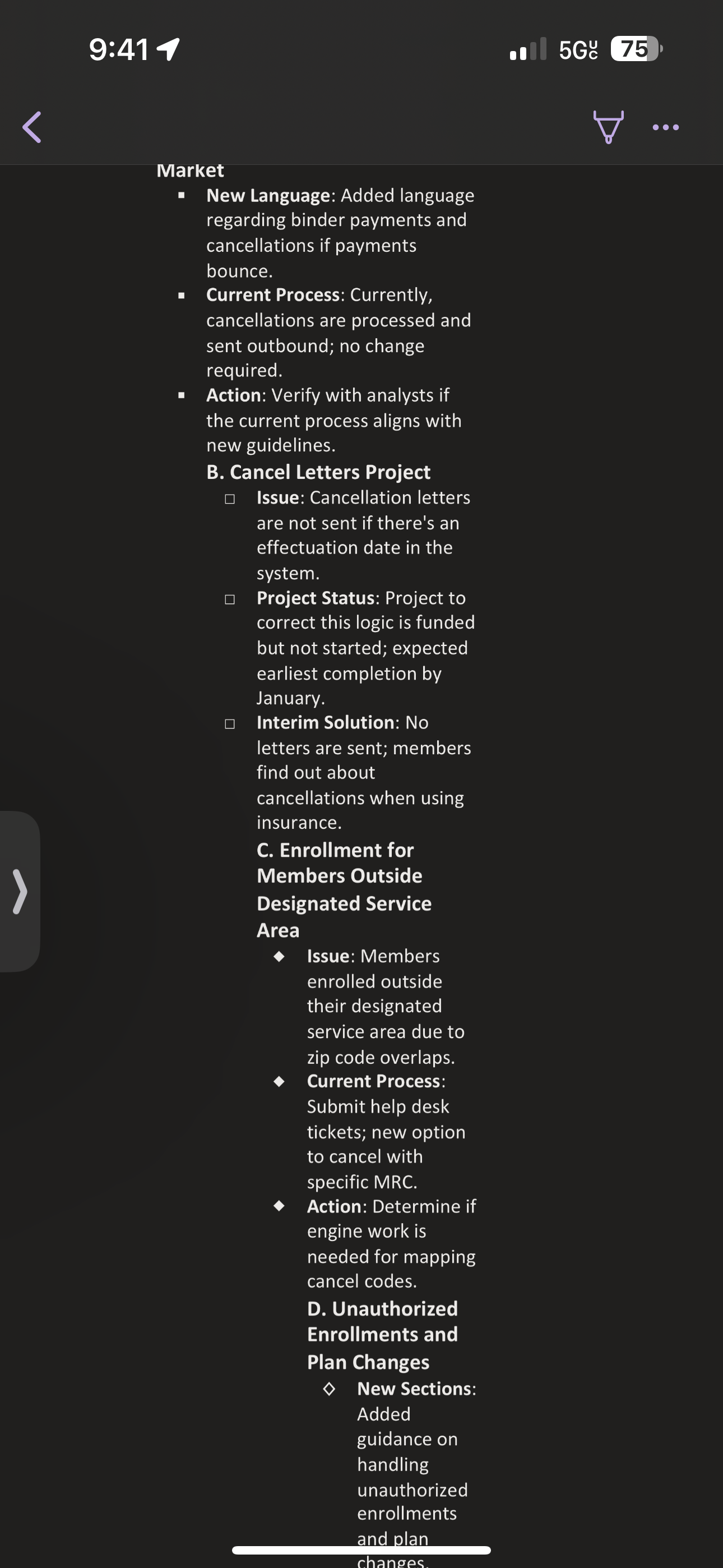
    @Josh Mohrer I just tried, I am still having the same result. This is what happens when I paste.

    Attached to this comment
  • Josh MohrerWave team1y ago

    @Lisbet RivasThanks for this - that is strange! its over-indenting. While i figure out why, you can put your cursor, for example, at the front of the line "B. Cancel Letters Project" and then type Shift + Tab and it will reverse indent it. Not ideal though. Will work on this!

  • Lisbet Rivas1y ago

    @Josh Mohrer thank you, I will try that.