ClosedKelly Wogan · 2y ago
Don’t let alarms, calendar reminders and timers disrupt recordings
Twice I have had a recording stopped because an alarm I set went off. I’d like to be able to snooze it without my recording being stopped.
Twice I have had a recording stopped because an alarm I set went off. I’d like to be able to snooze it without my recording being stopped.
Josh MohrerWave team2y ago
When this happens you should receive a notification indicating the pause, and returning to the app should let you resume. Was this your experience?
Kelly Wogan2y ago
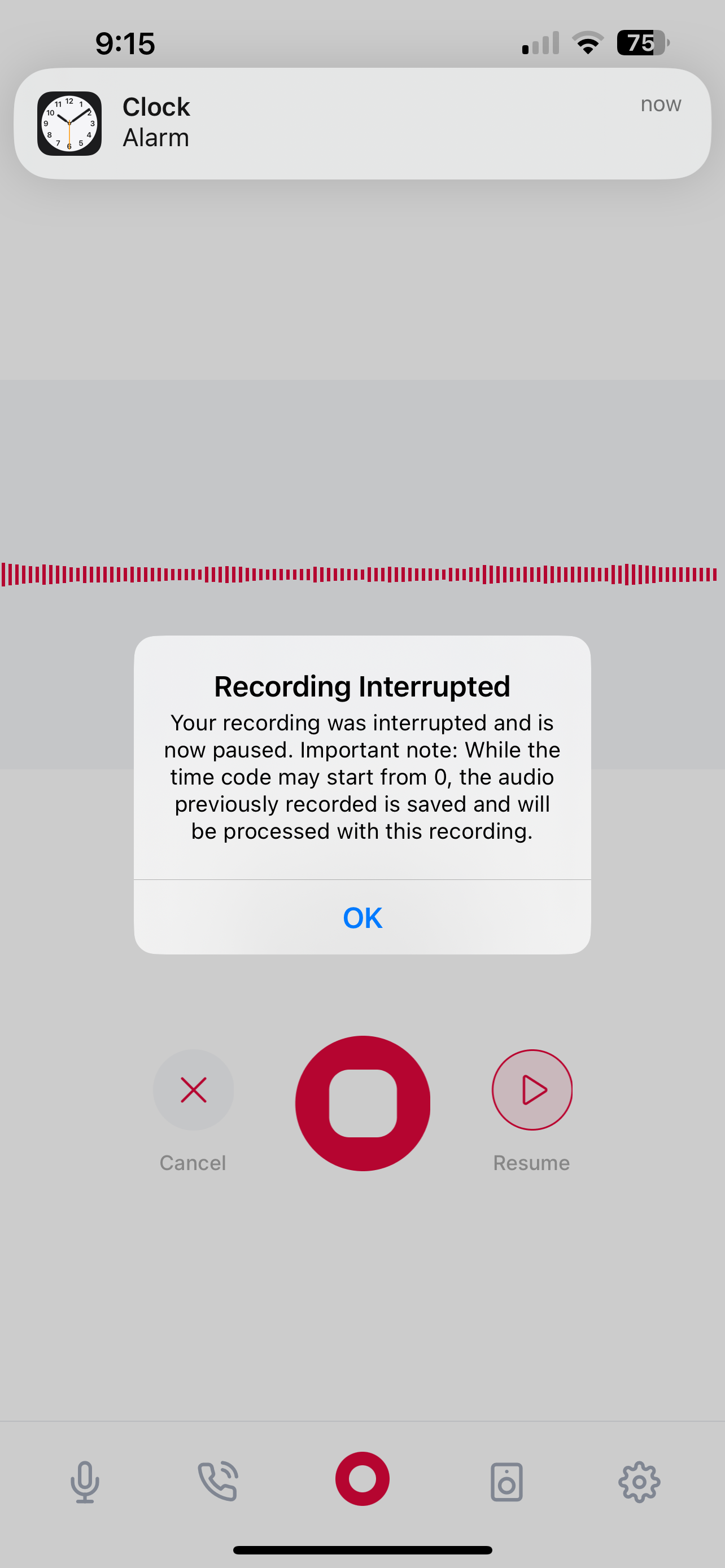
@Josh Mohrer no - I get a pop up that the recording was interrupted- when I click on the record button to try to resume, it uploads the recording and does not resume.
Kelly Wogan2y ago
I will screen shot it for you
Kelly Wogan2y ago
@Josh Mohrer sorry - I was clearly mistaken - there is a resume button - I just didn’t see it!
Kelly Wogan2y ago
Screenshot below
Lisa Hollars2y ago
Resume isn’t always available…
Jillian Bergeron1y ago
I agree
Jillian Bergeron1y ago
Does the resume miss part of the recording? Is the recording paused when a call comes through?
Response from the Wave team
Josh Mohrer3mo ago
The app handles this as best as it can within Apple's constraints. iOS limits audio access to one app at a time, so things like phone calls and alarms can interrupt recording. We've made improvements to make the most of it including interruption notification and automatic resuming when possible. Hopefully the experience has gotten better!